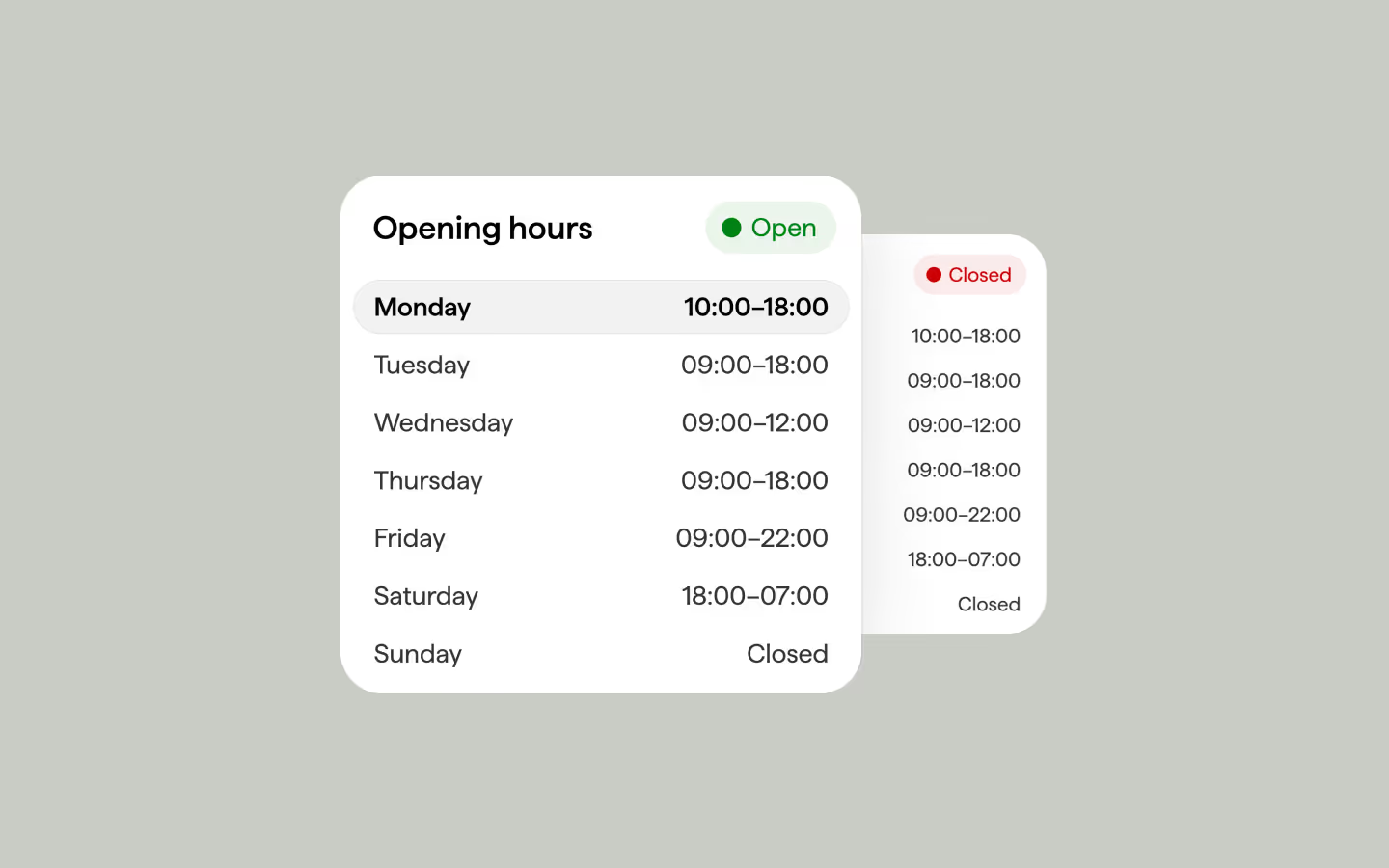
Opening Hours (Timetable)
Reads opening and closing times from data attributes on each day row, determines the current day and time in a configurable IANA timezone, and sets open/closed state attributes on both the row and the container. Supports overnight windows, closed days, duplicate detection, and auto-refresh every minute.
Code
<div data-opening-hours-timezone="Europe/Amsterdam" data-opening-hours-init="" class="opening-hours">
  <div class="opening-hours__top">
    <h2 class="opening-hours__title">Opening hours</h2>
    <div class="opening-hours__status">
      <div class="opening-hours__status-bg"></div>
      <div class="opening-hours__status-dot"></div>
      <p class="opening-hours__p is--closed">Closed</p>
      <p class="opening-hours__p is--open">Open</p>
    </div>
  </div>
  <div class="opening-hours__timetable">
    <div data-opening-hours-day="monday" data-opening-hours-open="10:00" data-opening-hours-close="18:00" class="opening-hours__row">
      <div class="opening-hours__day"><p class="opening-hours__p">Monday</p></div>
      <div class="opening-hours__time"><p class="opening-hours__p">10:00–18:00</p></div>
    </div>
    <div data-opening-hours-day="tuesday" data-opening-hours-open="9:00" data-opening-hours-close="18:00" class="opening-hours__row">
      <div class="opening-hours__day"><p class="opening-hours__p">Tuesday</p></div>
      <div class="opening-hours__time"><p class="opening-hours__p">09:00–18:00</p></div>
    </div>
    <div data-opening-hours-day="wednesday" data-opening-hours-open="9:00" data-opening-hours-close="12:00" class="opening-hours__row">
      <div class="opening-hours__day"><p class="opening-hours__p">Wednesday</p></div>
      <div class="opening-hours__time"><p class="opening-hours__p">09:00–12:00</p></div>
    </div>
    <div data-opening-hours-day="thursday" data-opening-hours-open="9:00" data-opening-hours-close="18:00" class="opening-hours__row">
      <div class="opening-hours__day"><p class="opening-hours__p">Thursday</p></div>
      <div class="opening-hours__time"><p class="opening-hours__p">09:00–18:00</p></div>
    </div>
    <div data-opening-hours-day="friday" data-opening-hours-open="9:00" data-opening-hours-close="22:00" class="opening-hours__row">
      <div class="opening-hours__day"><p class="opening-hours__p">Friday</p></div>
      <div class="opening-hours__time"><p class="opening-hours__p">09:00–22:00</p></div>
    </div>
    <div data-opening-hours-day="saturday" data-opening-hours-open="18:00" data-opening-hours-close="7:00" class="opening-hours__row">
      <div class="opening-hours__day"><p class="opening-hours__p">Saturday</p></div>
      <div class="opening-hours__time"><p class="opening-hours__p">18:00–07:00</p></div>
    </div>
    <div data-opening-hours-day="sunday" class="opening-hours__row">
      <div class="opening-hours__day"><p class="opening-hours__p">Sunday</p></div>
      <div class="opening-hours__time"><p class="opening-hours__p">Closed</p></div>
    </div>
  </div>
</div>.opening-hours {
grid-column-gap: 1em;
grid-row-gap: 1em;
color: #000;
background-color: #fff;
border-radius: 1.5em;
flex-flow: column;
width: 100%;
max-width: 20em;
padding: 1em .5em .5em;
display: flex;
}
.opening-hours__top {
justify-content: space-between;
align-items: center;
padding-left: .75em;
padding-right: .5em;
display: flex;
}
.opening-hours__title {
margin-top: 0;
margin-bottom: 0;
font-size: 1.25em;
font-weight: 600;
line-height: 1.25;
}
.opening-hours__status {
grid-column-gap: .375em;
grid-row-gap: .375em;
color: #c00;
border-radius: 3em;
justify-content: space-between;
align-items: center;
padding: .5em .75em .5em .625em;
display: flex;
position: relative;
}
[data-opening-hours-store-status="open"] .opening-hours__status {
color: #008214;
}
.opening-hours__status-bg {
opacity: .08;
background-color: currentColor;
border-radius: 50em;
width: 100%;
height: 100%;
position: absolute;
top: 0;
left: 0;
}
.opening-hours__status-dot {
background-color: currentColor;
border-radius: 50%;
width: .75em;
height: .75em;
position: relative;
}
.opening-hours__timetable {
grid-column-gap: .125em;
grid-row-gap: .125em;
flex-flow: column;
display: flex;
}
.opening-hours__row {
color: #333;
border: 1px solid #0000;
border-radius: 50em;
justify-content: space-between;
align-items: center;
width: 100%;
padding: .5em .75em;
display: flex;
}
[data-opening-hours-current-day] {
background-color: rgba(0, 0, 0, 0.05);
border: 1px solid rgba(0, 0, 0, 0.05);
}
.opening-hours__p {
margin-top: 0;
margin-bottom: 0;
font-size: 1em;
font-weight: 400;
line-height: 1;
position: relative;
}
.opening-hours__p.is--open {
display: none;
}
[data-opening-hours-current-day] .opening-hours__p {
font-weight: 600;
color: #000;
}
[data-opening-hours-store-status="open"] .opening-hours__status .opening-hours__p.is--closed {
display: none;
}
[data-opening-hours-store-status="open"] .opening-hours__status .opening-hours__p.is--open {
display: block;
}function initOpeningHours() {
const defaultTimezone = "Europe/Amsterdam";
const timeTables = document.querySelectorAll('[data-opening-hours-init]');
if (!timeTables.length) return;
timeTables.forEach(root => {
const tz = root.getAttribute('data-opening-hours-timezone') || defaultTimezone;
const timeToMinutes = str => {
const m = /^([01]?\d|2[0-3]):([0-5]\d)$/.exec(str || '');
return m ? (parseInt(m[1], 10) * 60 + parseInt(m[2], 10)) : null;
};
const getNowParts = () => {
let useTz = tz;
try { new Intl.DateTimeFormat('en-GB', { timeZone: tz }); }
catch { useTz = defaultTimezone; }
const fmt = new Intl.DateTimeFormat('en-GB', {
timeZone: useTz,
weekday: 'short',
hour: '2-digit',
minute: '2-digit',
hour12: false
});
const parts = fmt.formatToParts(new Date());
const map = Object.fromEntries(parts.map(p => [p.type, p.value]));
const weekdayIdx = ['Mon','Tue','Wed','Thu','Fri','Sat','Sun'].indexOf(map.weekday);
return { weekdayIdx, hour: parseInt(map.hour,10), minute: parseInt(map.minute,10) };
};
const dayIndex = { monday:0, tuesday:1, wednesday:2, thursday:3, friday:4, saturday:5, sunday:6 };
const rows = Array.from(root.querySelectorAll('[data-opening-hours-day]'));
if (!rows.length) return;
// check duplicates
const dayCount = {};
rows.forEach(r => {
const d = (r.getAttribute('data-opening-hours-day') || '').trim().toLowerCase();
if (d) dayCount[d] = (dayCount[d] || 0) + 1;
});
Object.keys(dayCount).forEach(d => {
if (dayCount[d] > 1) console.error(`[OpeningHours] Duplicate day "${d}" found in`, root);
});
const ordered = new Array(7);
rows.forEach(r => {
const d = (r.getAttribute('data-opening-hours-day') || '').trim().toLowerCase();
if (d in dayIndex) ordered[dayIndex[d]] = r;
});
if (ordered.some(r => !r)) return;
const schedule = ordered.map(row => {
const o = (row.getAttribute('data-opening-hours-open') || '').trim();
const c = (row.getAttribute('data-opening-hours-close') || '').trim();
const openMin = timeToMinutes(o);
const closeMin = timeToMinutes(c);
if (openMin == null || closeMin == null) return { open:false, openMin:0, closeMin:0, overnight:false };
const overnight = openMin > closeMin;
return { open:true, openMin, closeMin, overnight };
});
const evaluate = () => {
const now = getNowParts();
const curIdx = now.weekdayIdx;
const nowMin = now.hour * 60 + now.minute;
ordered.forEach(r => r.removeAttribute('data-opening-hours-current-day'));
ordered[curIdx].setAttribute('data-opening-hours-current-day', '');
const today = schedule[curIdx];
const yesterday = schedule[(curIdx + 6) % 7];
let isOpen = false;
if (today.open) {
if (!today.overnight) {
isOpen = nowMin >= today.openMin && nowMin < today.closeMin;
} else {
isOpen = (nowMin >= today.openMin) || (nowMin < today.closeMin);
}
}
if (!isOpen && yesterday.open && yesterday.overnight && nowMin < yesterday.closeMin) {
isOpen = true;
}
ordered.forEach((row, idx) => {
row.setAttribute('data-opening-hours-status', (idx === curIdx && isOpen) ? 'open' : 'closed');
});
root.setAttribute('data-opening-hours-store-status', isOpen ? 'open' : 'closed');
};
evaluate();
clearInterval(root._openingHoursTimer);
root._openingHoursTimer = setInterval(evaluate, 60 * 1000);
const visHandler = () => { if (!document.hidden) evaluate(); };
if (root._openingHoursVisHandler) {
document.removeEventListener('visibilitychange', root._openingHoursVisHandler);
}
root._openingHoursVisHandler = visHandler;
document.addEventListener('visibilitychange', visHandler);
});
}
// Initialize Opening Hours (Timetable)
document.addEventListener('DOMContentLoaded', () => {
initOpeningHours();
});Guide
Container
Add data-opening-hours-init to the root wrapper. Add data-opening-hours-timezone with an IANA timezone identifier (e.g. "Europe/Amsterdam", "America/New_York"). If omitted or invalid, falls back to the default set in the script.
Day Rows
Add data-opening-hours-day="monday" (through sunday) to each row. HTML order is ignored — the script maps rows by attribute value. All 7 days must be present for the script to run.
Open & Close Times
Set data-opening-hours-open and data-opening-hours-close in 24-hour HH:MM format. Leave both off to mark a day as closed. If close is earlier than open (e.g. open 21:00, close 07:00), the window is treated as overnight.
Store Status
data-opening-hours-store-status="open" or "closed" is set on the container. Use it to drive a global status badge. Each row also gets data-opening-hours-status for per-row styling.
Current Day
The script sets data-opening-hours-current-day on today's row. Use it to highlight the active weekday in CSS.
Auto Refresh
The script re-evaluates every 60 seconds via setInterval. It also re-evaluates on visibilitychange so the status is correct when a user returns to a background tab.